


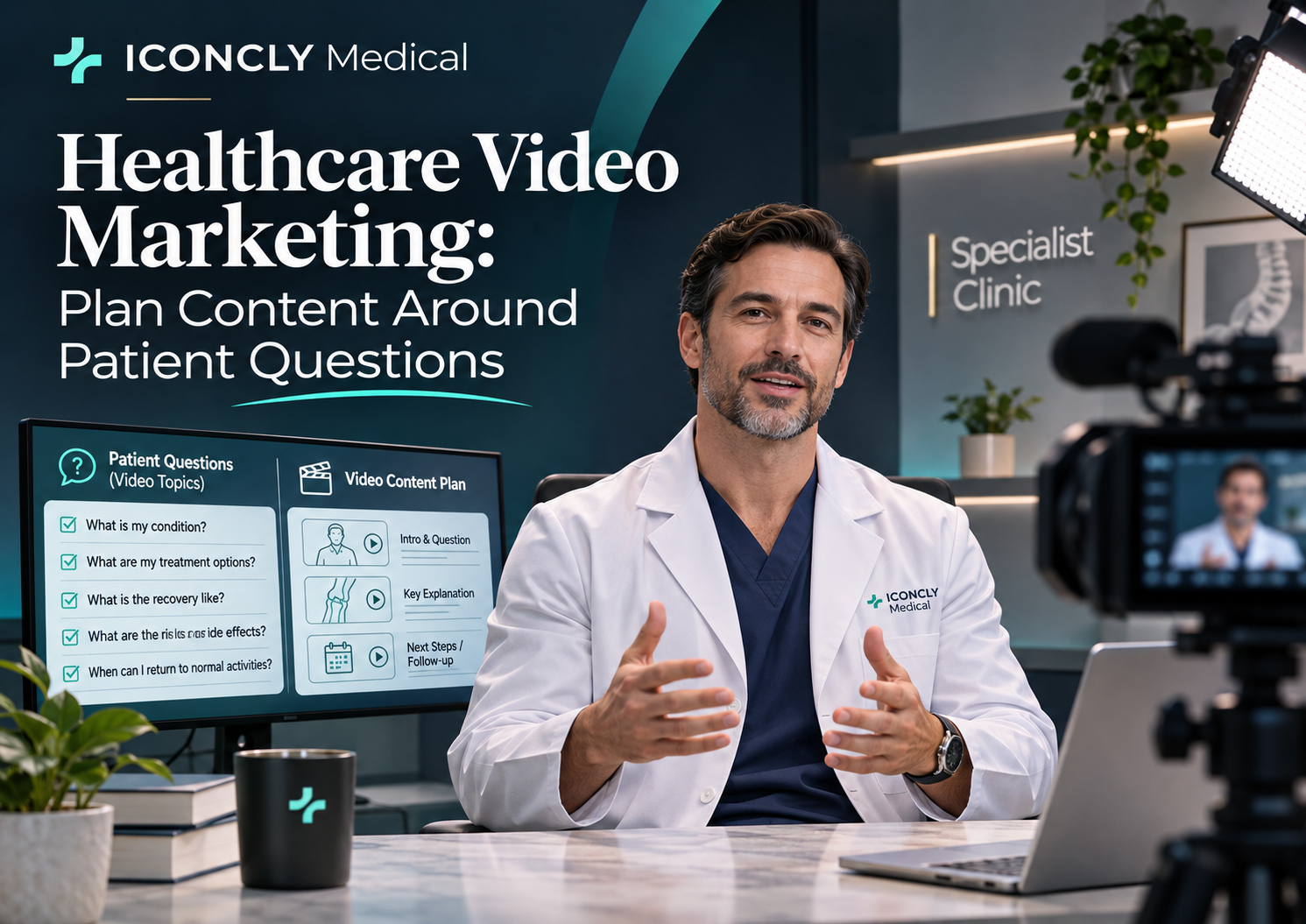
Healthcare Video Marketing: Plan Content Around Patient Questions
Healthcare video marketing is the planned use of video to explain healthcare services, answer common patient questions and guide viewers to an appropriate next step. For specialist doctors and clinic marketing teams, a practical…
Healthcare video marketing is the planned use of video to explain healthcare services, answer common patient questions and guide viewers to an appropriate next step. For specialist doctors and clinic marketing teams, a practical plan connects each question to a video format, a publication channel, a review owner and a clear contact route.
Start medical video marketing with a recurring question. If patients regularly ask what happens during a first appointment, film a clinician describing the visit and embed the video on the relevant specialty page. If people need directions after booking, a short clinic walkthrough sent with the appointment details may serve them better. The question determines the format and where the video belongs.
The examples below are illustrative. The planning approach works across markets, with specific review considerations for US and UAE clinics where applicable.
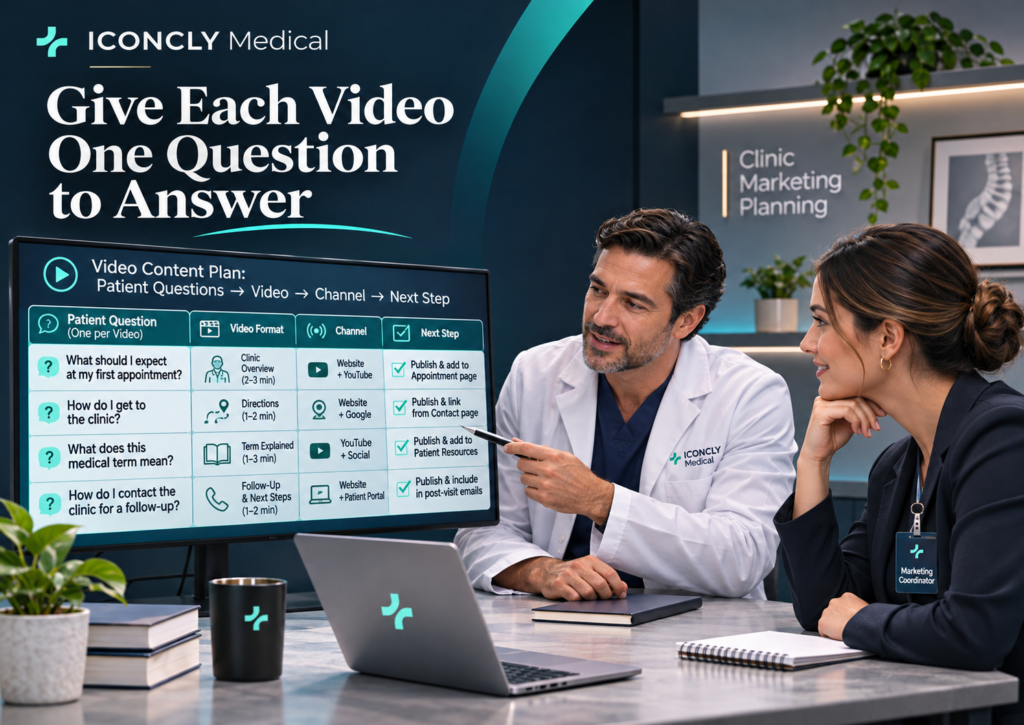
Give each video one question to answer
Ask reception, care coordinators and clinicians for the questions they hear before a visit, during a consultation and after the appointment. Work from recurring themes. Remove details that could identify the person who asked. Then sort each question by what the viewer needs to understand or do.
| Patient question | Video format | Where to use it | Next step |
| What happens at the first appointment? | Clinician-led walkthrough of a typical visit | Relevant specialist service page | Open the appointment enquiry page |
| How do I find the clinic entrance or check-in desk? | Short walkthrough filmed in an empty area | Location page and appointment communications | View directions or call reception |
| What does this term mean? | Clinician explainer with a simple teaching model | Education page or video channel, with a short social cut | Read the related explanation or ask the care team |
| Who should I contact with a question after my visit? | Brief guide to routine follow-up channels | Clinic-approved follow-up materials | Use the contact instructions provided by the clinic |
For each planned video, write what a viewer should be able to explain or do after watching. If the first-visit video begins to cover visit preparation, procedure options and recovery, give each question its own home. Keep any variation that changes the answer. For example, an initial appointment can differ by specialty or by the reason for the referral.
Film the answer the viewer came for

Open with the question
An educational video for patients should establish the subject in its opening line. Try, “Here’s what usually happens during a first consultation with our team.” Use a brief caption to show the question on screen, then let the clinician answer in everyday language. Put the clinician’s verified name and role where viewers can read them easily.
Show only what helps explain it
In an illustrative specialist clinic video, a doctor could use a plastic teaching model to show what they mean by a particular anatomical term. Film a close shot of the model while the clinician describes the relevant feature. For an appointment walkthrough, show the entrance, reception and an empty consultation room instead of asking a patient to recreate a visit.
Keep the spoken answer, visuals and captions aligned. If the doctor says a process *may* be part of a visit, preserve that qualification in the subtitle and every shortened version. Check the first frame and the final instruction separately. Both often travel with the clip when it is shared out of context.
Separate illustrations from patient evidence
An illustration shows an idea or explains a typical process. Examples include an anatomical model, an animation or a scripted scene performed by actors. Put “Illustrative demonstration” or “Dramatisation” on screen where a reasonable viewer could mistake the material for an actual patient encounter. Apply the same standard to the thumbnail, captions and short edits.
A real patient testimonial, identifiable treatment footage or a before-and-after comparison requires a separate review. Before commissioning it, ask who can authorise recording, what uses the authorisation covers, and what the clinic can substantiate about the result. A single outcome describes that case. Framing it as typical introduces a separate claim that needs evidence.

For US providers covered by HIPAA, HHS says media crews cannot be given access to areas where protected health information is accessible without the applicable prior written authorisations. Blurring identities later cannot cure that initial access. For facilities subject to Dubai Health Authority standards, the DHA’s social media medical advertising standards address written consent for using images, video and statements, as well as facility approvals in applicable situations. UAE teams should confirm which authority and process apply to the facility and planned use. HHS guidance on filming · DHA social media advertising standards
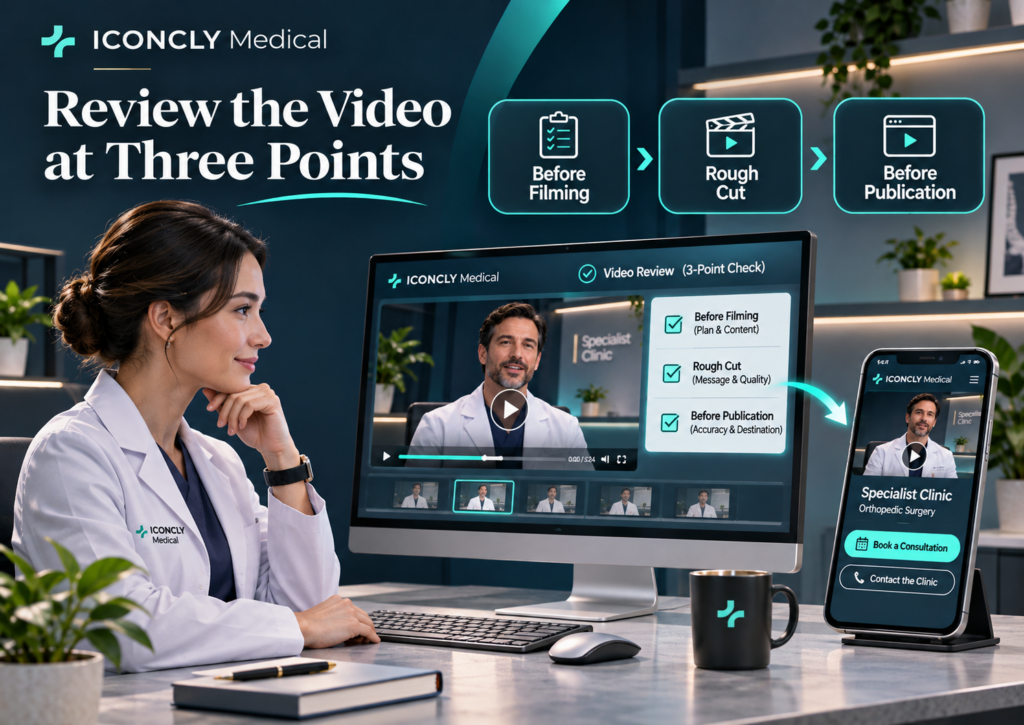
Review the video at three points
- Before filming. The clinician checks that the script describes the clinic’s actual process and that any medical claim is supportable. The production owner identifies who will appear, what will be shown and where filming can take place. Clear the set of charts, visible schedules and other identifying information before recording.
- At rough cut. A designated reviewer watches the video with sound, then checks it with captions only. Review the frames, background audio and overlays for unintended disclosures. Confirm that the edit preserves clinical qualifications and that any illustrative label stays visible when it matters.
- Before publication. Review the final video, thumbnail, post copy and destination together. Recheck any new cut, language version or paid placement for changes in meaning, permissions and claims. Record the approved version, reviewer and destination so the team can identify what needs replacing when instructions or services change.
Clinic teams working in English and Arabic can use the same question as a starting point. Have the appropriate reviewer check the translated captions and spoken wording in context, especially where a qualification or instruction would be easy to simplify inaccurately.
Give each edit a clear destination
A full first-appointment video can live on the relevant specialty page, close to the written information it explains. A shorter social clip can answer one part of the question and direct viewers to that page. A clinic that sends an appointment message can include a link to the appropriate version when the information is useful at that point in the visit.
Test the full route on a phone. Open the post, read the captions with audio off, tap the next step and check that the correct clinic, service and contact details appear. Use a dedicated clinic-approved channel for personal health questions. A public comment can be acknowledged with a link to the appropriate contact route without asking the viewer to describe their medical situation.
Evaluate the video against its purpose. For a visit explainer, look at where viewing drops off and whether reception still hears the question the asset was created to answer. For a clip designed to send viewers to a service page, check destination clicks and whether viewers can reach the correct contact option. These measures can help identify what to edit or move. They cannot establish that a video caused a booking.
Keep a publication record for each video. Note the original recurring patient question, the approved master, the captions, the live links and the person responsible for updates. If opening hours or visit instructions change, that record helps the team find every version, including clips embedded on service pages and links reused in appointment messages.
Frequently asked questions about healthcare video marketing
What video should a specialist clinic make first?
Choose a question that patients ask often and that your clinic can answer consistently. A first-visit explainer is a practical option when patients are unsure what a consultation involves. A location walkthrough may be more useful if callers frequently ask where to check in.
How long should doctor educational videos be?
Use the time needed to answer the question clearly and preserve important context. A short clip can explain one term or one step. A visit walkthrough may need more time to show the sequence and explain where it can vary.
Can a clinic use actors or animation instead of patient footage?
Yes. Use them to illustrate a process and label the content when viewers could mistake it for a real encounter. Keep the label in shorter versions and avoid framing the scene as a testimonial or clinical result.
Who should approve clinic video content?
Assign a clinician to review medical accuracy and a designated owner to check permissions, advertising requirements and release details. The same person may cover more than one role if authorised. Record approval against the final version.
Request a diagnostic review of your clinic content priorities
If your clinic already publishes videos, bring two examples, the questions they answer, the pages they send viewers to and the issues your team sees after publication. If you are starting from scratch, bring the specialty, the first three questions worth covering and who can review content internally.
Explore Social Media for Doctors and contact ICONCLY Medical to request a diagnostic review. You can also email info@medical.iconcly.com. Use the enquiry to discuss the priority and clarify the proposed scope before confirming a meeting.